

Required Username Change
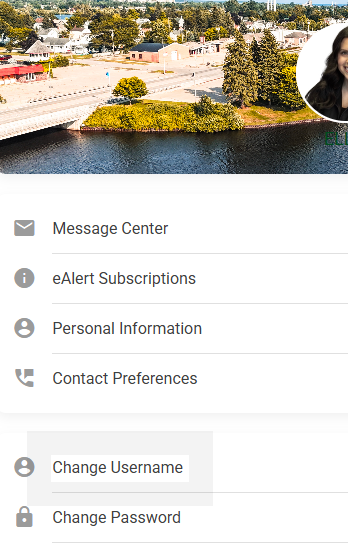
Beginning Monday, February 2, 2026, you will be required to change your username from your account number to a username of your choice in online banking.
How To Steps:
Multi-Factor Authentication (MFA)
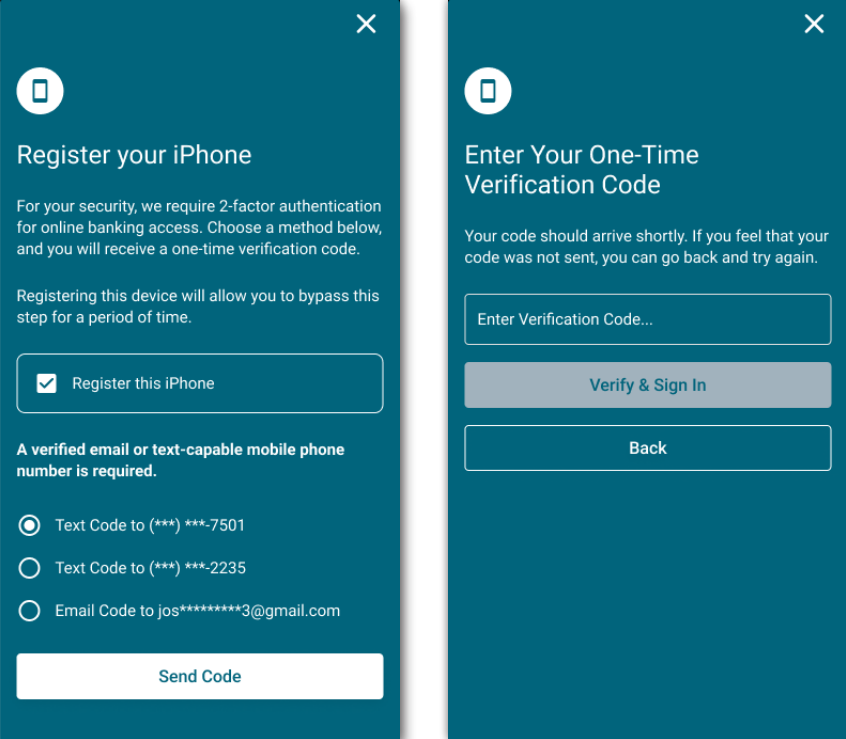
Beginning Monday, February 2, 2026, we will be implementing Multi-Factor Authentication (MFA) for online banking and mobile app logins. To access your account, you will be required to enter a passcode sent to you via text message or email.
When logging in, you will receive a prompt to input a one-time code delivered to your chosen method (text or email). Just follow the instructions to successfully complete the login process.
Please make sure your email and cell phone number are up to date on your account(s).
If you have any questions, please reach out to us or visit one of our locations!
(989) 354-4698
Please never share sensitive account credentials, such as usernames, passwords, or MFA passcodes.